
Build resumes that pass screening and impress hiring managers
Build structured, single-column resumes, compare them against specific job descriptions, and fix formatting gaps before you apply.
No credit card required · Free plan includes 2 resume drafts
Why standard templates get filtered out by screeners
Applicant tracking systems read documents sequentially. Graphic elements, icons, and multi-column sidebars frequently break text parsing.
Common Formatting Pitfalls
- Multi-column sidebarsParsers read horizontally across columns, interleaving dates and job titles into incomprehensible text strings.
- Graphic rating bars & star iconsGraphic meters for skills (e.g. 4/5 dots) cannot be read by ATS scanners and provide zero context on your real experience.
- Passive responsibility listsListing "Responsible for frontend features" fails to demonstrate quantifiable business impact or engineering ownership.
- Unchecked keyword mismatchesUsing non-standard phrasing instead of the specific frameworks and tools listed in the job requirements.
CareerCraft AI Format
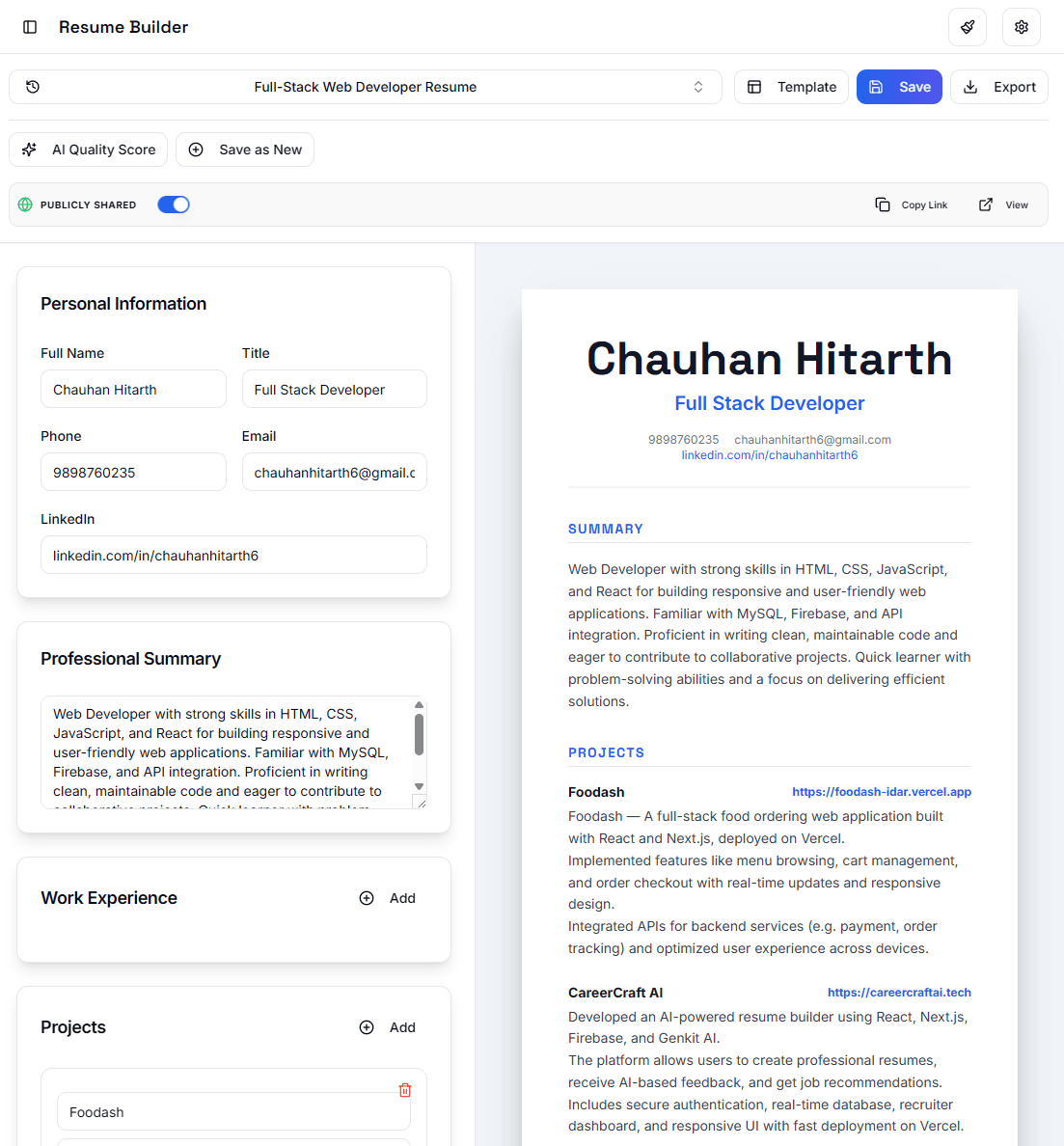
- Single-column chronological layoutClean linear structure ensuring text, dates, and companies are extracted accurately by automated parsers.
- Standard section headingsIndustry-recognized headers: Experience, Education, Technical Skills, and Projects for zero parser ambiguity.
- Quantified action-oriented bullet pointsStructured metrics demonstrating concrete contributions (e.g. "Reduced API response times by 35% across 12 endpoints").
- Direct job description matchingClear comparison tool identifying missing keywords from target job postings before you submit your application.
How the platform works
A straightforward three-step process from blank page to ready-to-submit resume.
Input Your Experience
Fill in your work history, projects, and education using structured fields that enforce clear dates, titles, and metrics.
Review Against Job Postings
Paste the job description you are targeting to discover missing skills, required certifications, and terminology gaps.
Export Clean PDF or DOCX
Download a cleanly typeset PDF with standard margins, zero graphic artifacts, and readable text ready for job applications.
Simple, transparent pricing
Choose the plan that fits your career search. No hidden fees or recurring traps.
Free
Essential tools for creating your first resume.
- 2 resume drafts
- 5 resume reviews per month
- ATS-safe single-column format
- Direct PDF download
- Standard chronological template
Essentials
For active candidates applying to multiple roles.
- 10 resume drafts
- 50 resume reviews per month
- Targeted keyword suggestions
- Cover letter builder
- PDF and Word (DOCX) export
Pro
PopularFull access for comprehensive job searches.
- Unlimited resume drafts
- Unlimited job description reviews
- Role-specific keyword gap analysis
- Multiple resume versions
- Cover letter builder
- Priority email support
Recruiter
For hiring teams evaluating candidate pools.
- Everything in Pro plan
- Candidate pool ranking against JDs
- Candidate comparison dashboard
- Team member collaboration
- Talent pipeline export
Frequently Asked Questions
Common questions about resume formatting, automated filters, and platform usage.